FLUX.1 Pro AI 이미지 생성기
FLUX.1-Pro, 최고의 AI 이미지 생성 모델을 온라인에서 체험하세요. FLUX.1-Pro는 비할 데 없는 품질, 세부 사항, 출력 다양성을 제공합니다. 창의적 프로젝트를 향상시키세요!
생성된 이미지
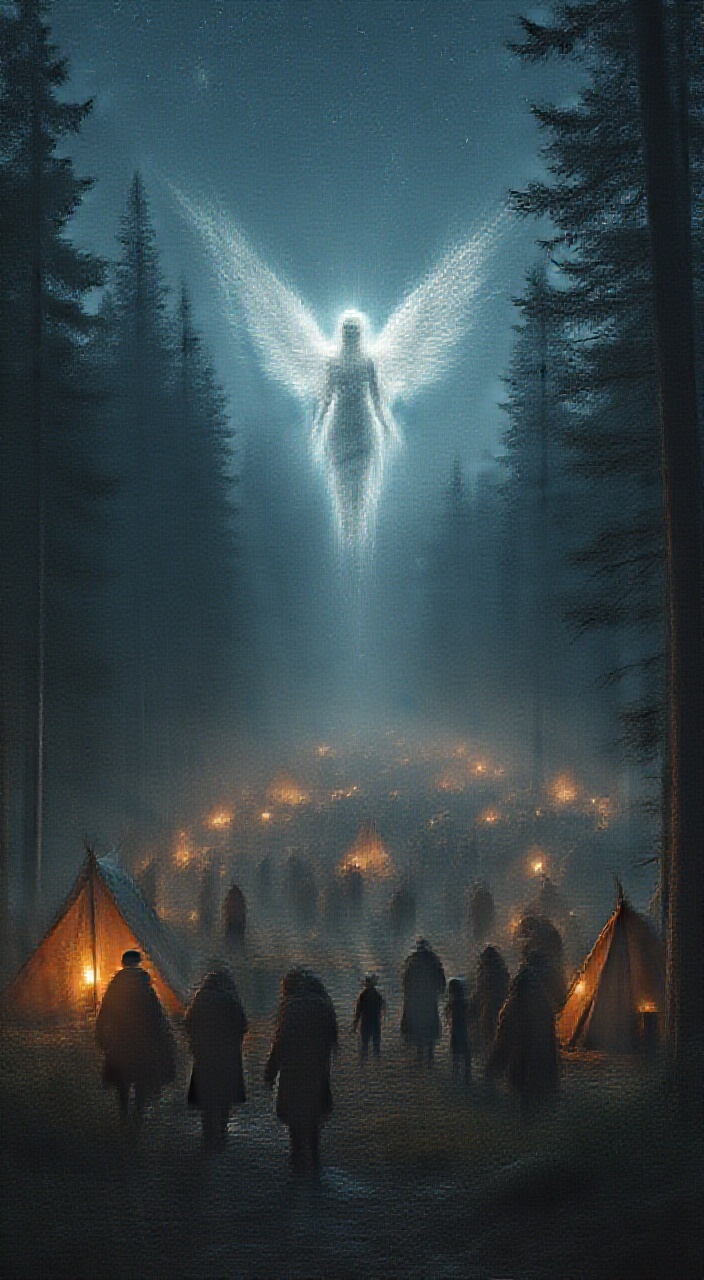
Шоколадный торт с надписью FLUX

A sophisticated young woman at an elite masquerade ball, wearing an elegant silver mask partially covering her face. She is dressed in a long, form-fitting silver gown with sparkling details, highlighting her figure. Long wavy light brown hair with golden highlights, bronzed skin, piercing blue eyes glowing behind the mask. Her expression is mysterious and confident. Dim ambient lighting, luxurious setting with chandeliers and formally dressed guests in the blurred background. Cinematic lighting, high-fashion editorial style, ultra-realistic, bokeh effect.

A closeup black and white photo of racing jockeys rading carousel. The race contest is very intense and dramatic. Motion blur. Backlight
![AI generated image by FLUX.1-pro: RODIN‐COMPATIBLE PROMPT TRANSLATION
Below is a complete, section‐by‐section translation of the 2D abstract painting (a Hornlike/humanoid face with swirling, multi‐colored shapes) into a fully detailed Rodin‐style prompt. All sections are provided in full, with no partial excerpts.
1. Image Decomposition
Primary Subject
An abstract Hornlike/humanoid face rendered in a swirl of vibrant, multi‐colored regions.
Geometric Taxonomy
Head Region
A “planar mask” shape subdivided into interlocking curved polygons.
Dimensions ~1 m tall × ~0.75 m wide.
Facial Features
Eyes: Two elliptical insets (major axis ~0.15 m, minor axis ~0.09 m).
Ears: Slightly pointed triangular outlines at the top corners (~0.2 m edge length).
Nose and Mouth: Overlapping convex forms with swirling, curvilinear edges.
Background
Layered “wave” fields of swirling color patterns, arranged radially around the head.
Each wave band ~0.05 m thick.
Material Mapping
PaintedSurface [Type=Acrylic, Finish=High‐Gloss, Vibrancy=Spectral Range].
Color Layers: Dense swirl with no single base hue, generating a kaleidoscopic spectrum (≥ 80% coverage across R/G/B channels).
Pose/Orientation
Planar orientation facing forward, with a slight 5° tilt about the vertical axis.
Thickness of the artwork ≤ 1 cm along Z, preserving a flat, planar format.
2. Scene Parameterization
Optical Properties
Reflectance: “Schlick approximation BRDF with 0.65 roughness.”
Subsurface Scattering: “1.33 IOR, 2 mm scattering depth” (minimal effect on thin 2D surfaces but included for completeness).
3. Spatial Syntax
The hierarchical coordinate structure below specifies all components in Rodin format. Every subsection is fully described:
[Root: Abstract_Hornlike_Face_V1
├─Rotation: (0°, 5°, 0°)
├─Material: PaintedSurface[Type=Acrylic, Finish=High-Gloss]
└─Components
├─Ear[Count=2, Shape=Triangular, EdgeLength=0.2m]
│ └─Transform: { Position=(TopCorners), Tilt=10° outward }
├─Eye[Count=2, Shape=Ellipse, MajorAxis=0.15m, MinorAxis=0.09m]
│ └─ColorRegion: { SwirlPattern, TriplanarUVProjection }
├─Nose_and_Mouth
│ └─Contours: { LayeredConvexCurves, # of Swirls=5 }
└─Background
└─WaveField[BandCount=8, Frequency=variable]
└─Blend_Chamfer 0.01m
]
4. Physical Simulation Hints
Maintain planar integrity along the Z‐axis
Thickness must remain ≤ 1 cm to preserve the 2D artwork format.
Avoid self‐collision among adjacent swirl contours
The swirling shapes should not intersect or clip through one another.
Use OpenCascade analogs
Apply “Blend_Chamfer 0.01 m” on polygonal transitions to keep edges smooth.
Mapping Strategy
Triplanar projection is recommended for the swirling color shapes to distribute high‐frequency color transitions evenly.
5. Complete Technical Prompt
“Generate a Hornlike/humanoid planar mask (1 m × 0.75 m) composed of swirling, interlocked polygons in high‐gloss acrylic.
Use Schlick BRDF with roughness=0.65.
Apply subsurface scattering at 1.33 IOR with a 2 mm scattering depth.
Ensure swirl contours do not intersect or collide.
Use Blend_Chamfer(0.01 m) to smooth polygonal edges.
Render as a 2D plane in 3D space with a 5° tilt about the vertical axis.
Apply Gooch shading for a non‐photorealistic style (Tcool=0.6, Twarm=0.8).”
Below is a complete Rodin‐style translation for the image, presented in full detail with no omissions:
RODIN‐COMPATIBLE PROMPT TRANSLATION
1. Image Decomposition
Primary Subject
An abstract Hornlike/humanoid face rendered in a swirl of vibrant, multi‐colored regions.
Geometric Taxonomy
Head Region
A “planar mask” subdivided into interlocking curved polygons.
Approximately 1 m tall × 0.75 m wide.
Facial Features
Eyes: Two elliptical insets (major axis ~0.15 m, minor axis ~0.09 m).
Ears: Slightly pointed triangular outlines (~0.2 m edge length) positioned at the top corners.
Nose and Mouth: Overlapping convex shapes with swirling, curvilinear edges.
Background
Layered “wave” fields in swirling color patterns, arranged radially around the head.
Each band ~0.05 m thick.
Material Mapping
PaintedSurface [Type=Acrylic, Finish=High‐Gloss, Vibrancy=Spectral Range].
Color Layers: Dense swirl with no single base hue, creating a kaleidoscopic spectrum (≥ 80% coverage across R/G/B channels).
Pose/Orientation
Planar, front‐facing orientation with ~5° tilt about the vertical axis.
Artwork thickness ≤ 1 cm along Z for a relatively flat piece.
2. Scene Parameterization
Optical Properties
Reflectance: “Schlick approximation BRDF with 0.65 roughness.”
Subsurface Scattering: “1.33 IOR, 2 mm scattering depth.”
Minimal effect for very thin painted surfaces.
3. Spatial Syntax
An example hierarchical Rodin coordinate layout for all elements:
[Root: Abstract_Hornlike_Face_V1
├─Rotation: (0°, 5°, 0°)
├─Material: PaintedSurface[Type=Acrylic, Finish=High-Gloss]
└─Components
├─Ear[Count=2, Shape=Triangular, EdgeLength=0.2m]
│ └─Transform: { Position=(TopCorners), Tilt=10° outward }
├─Eye[Count=2, Shape=Ellipse, MajorAxis=0.15m, MinorAxis=0.09m]
│ └─ColorRegion: { SwirlPattern, TriplanarUVProjection }
├─Nose_and_Mouth
│ └─Contours: { LayeredConvexCurves, # of Swirls=5 }
└─Background
└─WaveField[BandCount=8, Frequency=variable]
└─Blend_Chamfer 0.01m
]
4. Physical Simulation Hints
Maintain Planar Integrity
Keep thickness ≤ 1 cm along the Z‐axis.
Avoid Self‐Collision
Prevent swirl contours from intersecting or overlapping incorrectly.
OpenCascade Analogs
Use “Blend_Chamfer 0.01 m” for smoothing polygon transitions.
UV Mapping Strategy
Triplanar projection is recommended for high‐frequency swirl color transitions.
5. Complete Technical Prompt
“Generate a Hornlike/humanoid planar mask (1 m × 0.75 m) with swirling, interlocked polygons in high‐gloss acrylic.
Apply Schlick BRDF (roughness=0.65).
Use subsurface scattering at 1.33 IOR and 2 mm depth.
Prevent collisions in swirl contours.
Blend_Chamfer(0.01 m) to smooth edges.
Render as a 2D plane in 3D with a 5° tilt about the vertical axis.
Non‐photorealistic shading (Gooch), Tcool=0.6, Twarm=0.8.”
Rodin-Compatible Text Prompt:
Primary Subject:
An abstract, cubist-inspired humanoid figure with exaggerated, asymmetrical facial features, including oversized, multi-colored eyes (left eye with concentric red and yellow rings, right eye with cyan and yellow concentric rings), a distorted, angular nose, and an open mouth showing irregular white teeth. The head features pointed, Horn-like ears with dynamic patterns.
Attributes:
Morphology: Fragmented, overlapping geometric planes with sharp edges and fluid contours creating a distorted human-animal hybrid form.
Material Properties: Smooth, high-gloss enamel-like finish with vivid, saturated colors. The surface texture exhibits layered, swirled gradients resembling marbled acrylic paint.
Secondary Elements:
Foreground: Dominant presence of the figure, occupying central space with high color contrast.
Midground: Swirling, flame-like patterns in red, orange, and yellow on the right side, creating a dynamic flow.
Background: Vibrant gradient transitioning from cool blue and green hues on the left to warm reds, pinks, and yellows on the right, filled with abstract, wavy lines and swirling motifs.
Lighting & Atmosphere:
Illumination: Flat, even lighting without clear directional shadows, emphasizing the boldness of colors and sharpness of lines.
Atmospheric Effects: High-contrast color transitions and psychedelic, fluidic swirls that create a sense of motion and depth.
Color Palette:
Dominant Colors: #FF0000 (red), #00FFFF (cyan), #FFFF00 (yellow), #FF00FF (magenta), #008000 (green), #000000 (black), #FFFFFF (white).
Harmony: Triadic contrast with bold, saturated primaries and secondaries, creating visual tension and vibrancy.
Composition & Perspective:
Framing: Tight, central composition focusing on the subject’s upper torso and face.
Perspective: Slightly skewed, flattened perspective typical of cubist works, with overlapping planes creating spatial ambiguity.
Stylistic Specifications:
Medium: Digital vector art with sharp, clean lines and high color saturation.
Genre: Neo-Cubist Psychedelic Abstract.
Post-Processing: Enhanced color saturation, high-contrast outlines, and smooth gradient blending.
Constraints & Exclusions:
Exclude photorealistic textures, naturalistic color schemes, or realistic human proportions.](/_next/image?url=https%3A%2F%2Ffluximageai.net%2Fgenerated-images%2F9d86e449-2536-48a8-ac35-468e1e7a6087.png&w=3840&q=75)
RODIN‐COMPATIBLE PROMPT TRANSLATION Below is a complete, section‐by‐section translation of the 2D abstract painting (a Hornlike/humanoid face with swirling, multi‐colored shapes) into a fully detailed Rodin‐style prompt. All sections are provided in full, with no partial excerpts. 1. Image Decomposition Primary Subject An abstract Hornlike/humanoid face rendered in a swirl of vibrant, multi‐colored regions. Geometric Taxonomy Head Region A “planar mask” shape subdivided into interlocking curved polygons. Dimensions ~1 m tall × ~0.75 m wide. Facial Features Eyes: Two elliptical insets (major axis ~0.15 m, minor axis ~0.09 m). Ears: Slightly pointed triangular outlines at the top corners (~0.2 m edge length). Nose and Mouth: Overlapping convex forms with swirling, curvilinear edges. Background Layered “wave” fields of swirling color patterns, arranged radially around the head. Each wave band ~0.05 m thick. Material Mapping PaintedSurface [Type=Acrylic, Finish=High‐Gloss, Vibrancy=Spectral Range]. Color Layers: Dense swirl with no single base hue, generating a kaleidoscopic spectrum (≥ 80% coverage across R/G/B channels). Pose/Orientation Planar orientation facing forward, with a slight 5° tilt about the vertical axis. Thickness of the artwork ≤ 1 cm along Z, preserving a flat, planar format. 2. Scene Parameterization Optical Properties Reflectance: “Schlick approximation BRDF with 0.65 roughness.” Subsurface Scattering: “1.33 IOR, 2 mm scattering depth” (minimal effect on thin 2D surfaces but included for completeness). 3. Spatial Syntax The hierarchical coordinate structure below specifies all components in Rodin format. Every subsection is fully described: [Root: Abstract_Hornlike_Face_V1 ├─Rotation: (0°, 5°, 0°) ├─Material: PaintedSurface[Type=Acrylic, Finish=High-Gloss] └─Components ├─Ear[Count=2, Shape=Triangular, EdgeLength=0.2m] │ └─Transform: { Position=(TopCorners), Tilt=10° outward } ├─Eye[Count=2, Shape=Ellipse, MajorAxis=0.15m, MinorAxis=0.09m] │ └─ColorRegion: { SwirlPattern, TriplanarUVProjection } ├─Nose_and_Mouth │ └─Contours: { LayeredConvexCurves, # of Swirls=5 } └─Background └─WaveField[BandCount=8, Frequency=variable] └─Blend_Chamfer 0.01m ] 4. Physical Simulation Hints Maintain planar integrity along the Z‐axis Thickness must remain ≤ 1 cm to preserve the 2D artwork format. Avoid self‐collision among adjacent swirl contours The swirling shapes should not intersect or clip through one another. Use OpenCascade analogs Apply “Blend_Chamfer 0.01 m” on polygonal transitions to keep edges smooth. Mapping Strategy Triplanar projection is recommended for the swirling color shapes to distribute high‐frequency color transitions evenly. 5. Complete Technical Prompt “Generate a Hornlike/humanoid planar mask (1 m × 0.75 m) composed of swirling, interlocked polygons in high‐gloss acrylic. Use Schlick BRDF with roughness=0.65. Apply subsurface scattering at 1.33 IOR with a 2 mm scattering depth. Ensure swirl contours do not intersect or collide. Use Blend_Chamfer(0.01 m) to smooth polygonal edges. Render as a 2D plane in 3D space with a 5° tilt about the vertical axis. Apply Gooch shading for a non‐photorealistic style (Tcool=0.6, Twarm=0.8).” Below is a complete Rodin‐style translation for the image, presented in full detail with no omissions: RODIN‐COMPATIBLE PROMPT TRANSLATION 1. Image Decomposition Primary Subject An abstract Hornlike/humanoid face rendered in a swirl of vibrant, multi‐colored regions. Geometric Taxonomy Head Region A “planar mask” subdivided into interlocking curved polygons. Approximately 1 m tall × 0.75 m wide. Facial Features Eyes: Two elliptical insets (major axis ~0.15 m, minor axis ~0.09 m). Ears: Slightly pointed triangular outlines (~0.2 m edge length) positioned at the top corners. Nose and Mouth: Overlapping convex shapes with swirling, curvilinear edges. Background Layered “wave” fields in swirling color patterns, arranged radially around the head. Each band ~0.05 m thick. Material Mapping PaintedSurface [Type=Acrylic, Finish=High‐Gloss, Vibrancy=Spectral Range]. Color Layers: Dense swirl with no single base hue, creating a kaleidoscopic spectrum (≥ 80% coverage across R/G/B channels). Pose/Orientation Planar, front‐facing orientation with ~5° tilt about the vertical axis. Artwork thickness ≤ 1 cm along Z for a relatively flat piece. 2. Scene Parameterization Optical Properties Reflectance: “Schlick approximation BRDF with 0.65 roughness.” Subsurface Scattering: “1.33 IOR, 2 mm scattering depth.” Minimal effect for very thin painted surfaces. 3. Spatial Syntax An example hierarchical Rodin coordinate layout for all elements: [Root: Abstract_Hornlike_Face_V1 ├─Rotation: (0°, 5°, 0°) ├─Material: PaintedSurface[Type=Acrylic, Finish=High-Gloss] └─Components ├─Ear[Count=2, Shape=Triangular, EdgeLength=0.2m] │ └─Transform: { Position=(TopCorners), Tilt=10° outward } ├─Eye[Count=2, Shape=Ellipse, MajorAxis=0.15m, MinorAxis=0.09m] │ └─ColorRegion: { SwirlPattern, TriplanarUVProjection } ├─Nose_and_Mouth │ └─Contours: { LayeredConvexCurves, # of Swirls=5 } └─Background └─WaveField[BandCount=8, Frequency=variable] └─Blend_Chamfer 0.01m ] 4. Physical Simulation Hints Maintain Planar Integrity Keep thickness ≤ 1 cm along the Z‐axis. Avoid Self‐Collision Prevent swirl contours from intersecting or overlapping incorrectly. OpenCascade Analogs Use “Blend_Chamfer 0.01 m” for smoothing polygon transitions. UV Mapping Strategy Triplanar projection is recommended for high‐frequency swirl color transitions. 5. Complete Technical Prompt “Generate a Hornlike/humanoid planar mask (1 m × 0.75 m) with swirling, interlocked polygons in high‐gloss acrylic. Apply Schlick BRDF (roughness=0.65). Use subsurface scattering at 1.33 IOR and 2 mm depth. Prevent collisions in swirl contours. Blend_Chamfer(0.01 m) to smooth edges. Render as a 2D plane in 3D with a 5° tilt about the vertical axis. Non‐photorealistic shading (Gooch), Tcool=0.6, Twarm=0.8.” Rodin-Compatible Text Prompt: Primary Subject: An abstract, cubist-inspired humanoid figure with exaggerated, asymmetrical facial features, including oversized, multi-colored eyes (left eye with concentric red and yellow rings, right eye with cyan and yellow concentric rings), a distorted, angular nose, and an open mouth showing irregular white teeth. The head features pointed, Horn-like ears with dynamic patterns. Attributes: Morphology: Fragmented, overlapping geometric planes with sharp edges and fluid contours creating a distorted human-animal hybrid form. Material Properties: Smooth, high-gloss enamel-like finish with vivid, saturated colors. The surface texture exhibits layered, swirled gradients resembling marbled acrylic paint. Secondary Elements: Foreground: Dominant presence of the figure, occupying central space with high color contrast. Midground: Swirling, flame-like patterns in red, orange, and yellow on the right side, creating a dynamic flow. Background: Vibrant gradient transitioning from cool blue and green hues on the left to warm reds, pinks, and yellows on the right, filled with abstract, wavy lines and swirling motifs. Lighting & Atmosphere: Illumination: Flat, even lighting without clear directional shadows, emphasizing the boldness of colors and sharpness of lines. Atmospheric Effects: High-contrast color transitions and psychedelic, fluidic swirls that create a sense of motion and depth. Color Palette: Dominant Colors: #FF0000 (red), #00FFFF (cyan), #FFFF00 (yellow), #FF00FF (magenta), #008000 (green), #000000 (black), #FFFFFF (white). Harmony: Triadic contrast with bold, saturated primaries and secondaries, creating visual tension and vibrancy. Composition & Perspective: Framing: Tight, central composition focusing on the subject’s upper torso and face. Perspective: Slightly skewed, flattened perspective typical of cubist works, with overlapping planes creating spatial ambiguity. Stylistic Specifications: Medium: Digital vector art with sharp, clean lines and high color saturation. Genre: Neo-Cubist Psychedelic Abstract. Post-Processing: Enhanced color saturation, high-contrast outlines, and smooth gradient blending. Constraints & Exclusions: Exclude photorealistic textures, naturalistic color schemes, or realistic human proportions.

A wooden house in the forest, surrounded by colorful flowers and green trees, with waterfalls flowing from it into an emerald lake. The sun shines through lush foliage, creating a warm atmosphere. A dreamy scene that is perfect for peaceful moments of relaxation or contemplation.

2 men playing tennis on a tennis court. No one present except them. One on one side of the court, the other on the other side of the court. Location: The expansive lawn of a grand villa (like Villa del Balbianello or Villa Melzi) on the central part of Lake Como, Italy. The View: The court would be flanked by manicured Italian gardens and look directly across the lake to the opposing shore's colorful villages and the dramatic, rising foothills of the Alps.

thin, fine fractal glossy vivid colored ink sketch shiny contours outlines of a perfect physique female silhouette

well-lit underground garage in upscale office building. Camera positioned on the passenger side next to the open passenger door of an Impeccably restored cream 1948 Chevrolet convertible with the top down and driver's doors open..Tan leather seats. Wood-colored dashboard. Light tan carpet covering completely level floorboard. Stick shift on the steering column Sitting far away from the camera in the driver's seat is a beautiful very tiny French woman about 28 years old. Her legs rest on the seat, the left leg is bent at the knee and the left foot is on the floorbeat next to the seat. the right leg is extended forward toward the pedals far enough to touch the accelerator with the right foot. The woman has long light brown hair gathered into a bun. She is wearing colorful earrings. Lipstick and light eye makeup. Winsome smile gentle expression. She is wearing a tight-fitting pale yellow off-shoulder top 3/4 sleeve decorated with small flowers, a tight-fitting white cotton miniskirt hemmed halfway up her thigh, multicolored high heel wedge slides decorated with tiny flowers on the wedge and a rose on the vamp. camera is focused on the right foot

A detailed character turnaround sheet divided in six panels each panel showcasing a detailed different view of a beautiful, youthful superstar woman singer dressed in a modest red dress. In the style of renowned artist Greg Rutkowski and Alphonse Mucha. The background is pure white. Volumetric lighting enhances the visual impact. Hyperdetailed.

Top view of the full, curvy body of 20-year-old Gillian Anderson, unconscious with her eyes closed, long brown hair, lying on a metal slab in an abandoned morgue at night. She is wearing a bra and white panties, she is barefoot.
FLUX.1-Pro로 최고의 품질의 이미지를 생성하는 방법
FLUX.1-Pro을 사용하여 비할 데 없는 비주얼을 만드는 방법을 설명합니다.
- 프롬프트를 입력하고 FLUX.1-Pro을 사용하여 원하는 설정을 선택하세요.
- FLUX.1-Pro로 최고의 품질의 이미지를 생성하는 버튼을 누르세요.
- FLUX.1-Pro로 다양한 출력 결과를 탐색하기 위해 프로세스를 반복하세요.
자주 묻는 질문
FLUX.1-Pro은 무엇에 사용되나요?
FLUX.1-Pro는 최고 수준의 이미지 품질, 세부 사항, 출력 다양성을 제공하는 최첨단 이미지 생성 모델로, 프로페셔널 수준의 시각적 콘텐츠에 최적입니다.
FLUX.1-Pro은 다른 모델과 어떻게 비교되나요?
FLUX.1-Pro은 뛰어난 프롬프트 추종성, 시각적 품질, 세부적인 출력으로 차별화됩니다. 고해상도 및 다양한 이미지를 제공하여 프로페셔널한 사용에 적합합니다.
FLUX.1-Pro은 어떤 이미지 품질을 제공하나요?
FLUX.1-Pro은 FLUX 모델 중에서 최고의 이미지 품질을 제공하며, 뛰어난 세부 사항, 색상 정확성 및 선명도를 갖추고 있어 최상의 시각적 탁월함을 요구하는 프로젝트에 이상적입니다.
FLUX.1-Pro은 모든 용도에 무료로 사용할 수 있나요?
네, FLUX.1-Pro은 개인, 과학, 상업적 프로젝트를 위해 무료로 사용할 수 있으며, 고가의 클로즈드 소스 대안 없이도 최고의 품질을 제공합니다.
FLUX.1-Pro의 이미지에는 어떤 라이선스가 적용되나요?
FLUX.1-Pro에 의해 생성된 이미지는 Apache-2.0 라이선스 하에 공개되어 있으며, 상업적 프로젝트를 포함한 다양한 분야에서 광범위하게 사용할 수 있으며, 수정 및 배포의 유연성을 제공합니다.
FLUX.1-Pro에서 최고의 결과를 얻기 위한 팁이 있나요?
FLUX.1-Pro에서 최적의 결과를 얻으려면, 매우 상세한 프롬프트를 사용하고, 다양한 설정을 실험하여 최고 품질의 프로페셔널한 이미지를 생성하는 능력을 최대한 활용하세요.